Free export. No watermark. No account.
A clean PDF, every time you point your phone at paper.
Honest Scanner finds the page edges, flattens the shadows, and hands you a real PDF in two taps. Pro adds searchable text and a reusable signature — the free export is never held hostage.
Download on theApp Store
iPhone or iPad · iOS 17+
Universal app — one purchase covers both
Universal app — one purchase covers both
What it does
The boring parts of scanning, handled properly.
Edge detection that lands
Corners snap to the page as you frame it, so a hand-held receipt comes out square instead of trapezoidal. Drag any corner if it guesses wrong.
Search inside your scans Pro
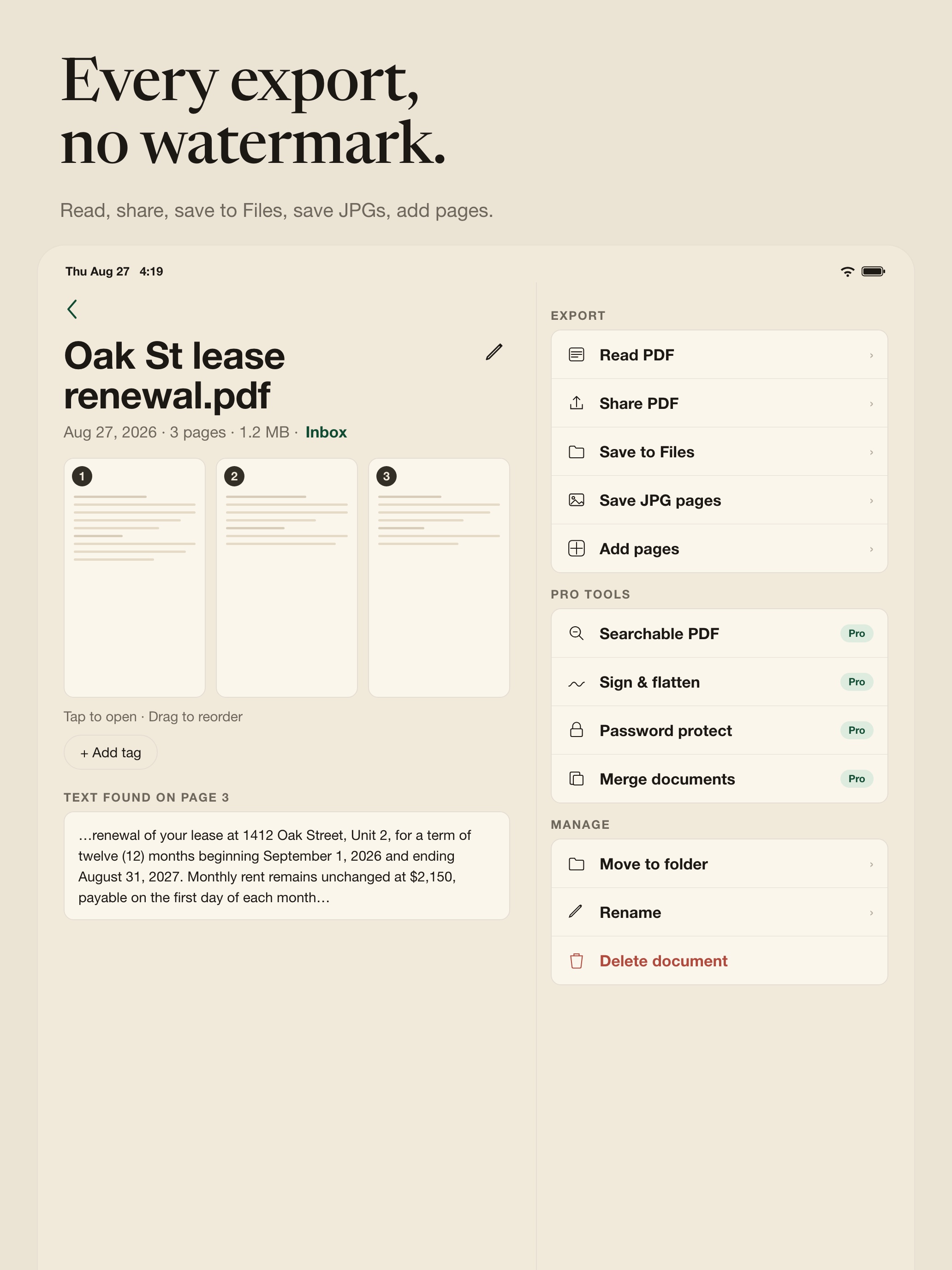
On-device OCR writes a text layer into the PDF. Search "Oak St lease" and the right page opens, in the app and in Files.
Sign once, reuse forever Pro
Draw your signature with a finger or Apple Pencil, then drop it onto any page at the size you want. Date, initials, and printed-name stamps too.
Lock what stays. Encrypt what leaves. Pro
Set an in-app password on any doc — unlock once per session, and leaving the detail re-arms the lock. When you share, optionally encrypt the PDF itself so recipients need the password to open it.
Folders, not a firehose
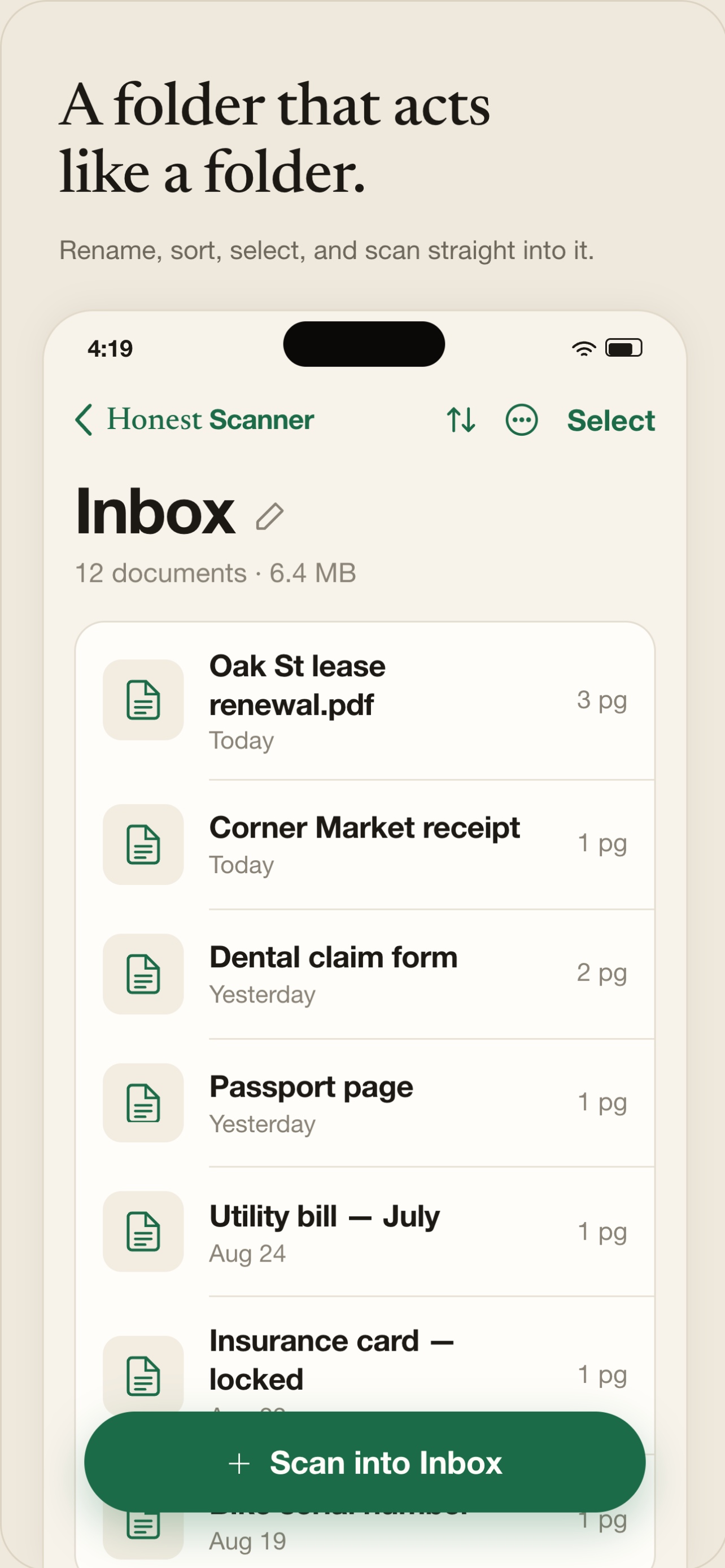
Taxes, Receipts, Warranties — file a scan the moment you make it, or batch-move later in select mode. Export to Files, Mail, or any share sheet target.
Pricing
Pay once if you want. Scan forever either way.
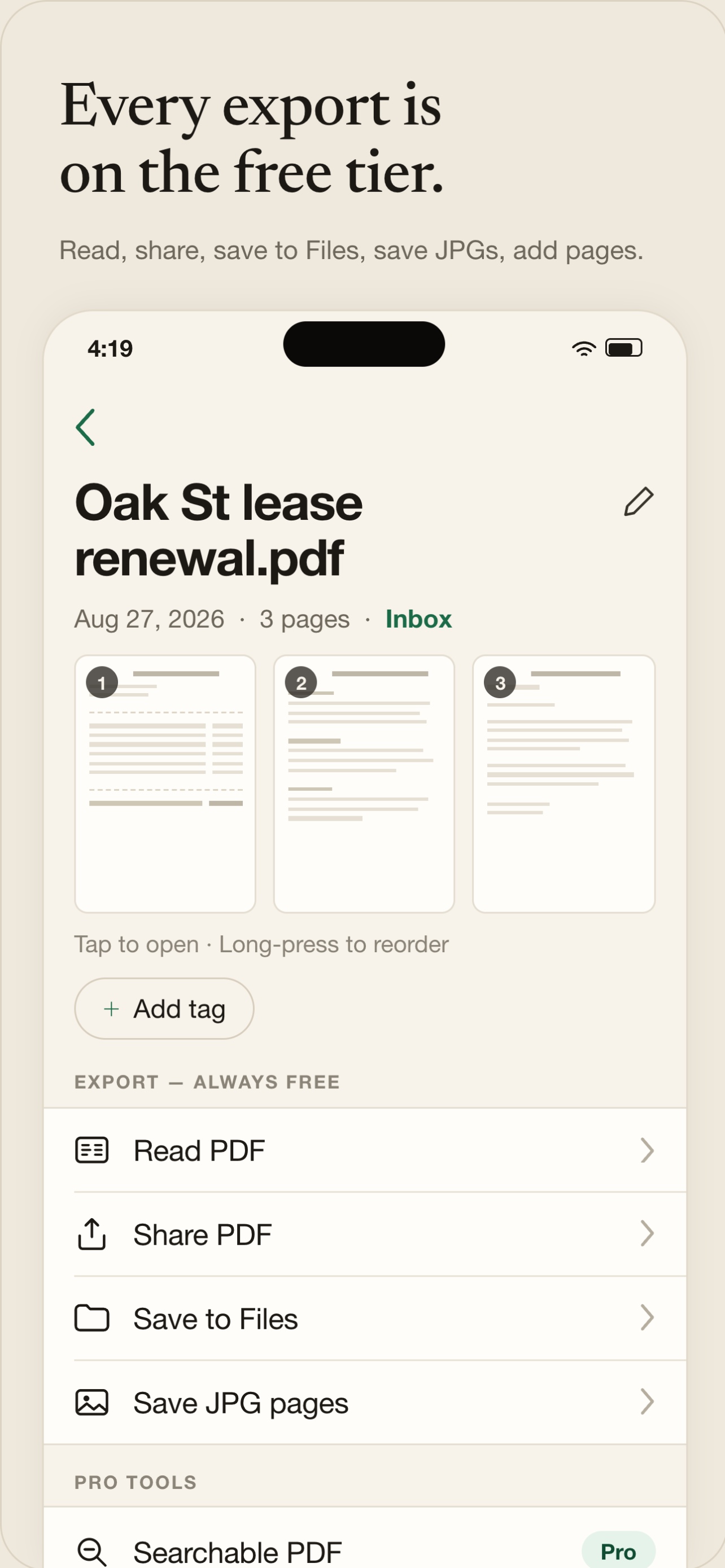
No page limits on free, no watermark, no trial countdown on the export button.
Free
$0forever
✓Unlimited scans and pages
✓Clean PDF export, no watermark
✓Folders, tags, and full search
—No searchable text or signatures
ProBest value
$29.99once — or $19.99/year
✓Everything in Free
✓Searchable PDFs with on-device OCR
✓Saved signature, initials, and dates
✓Merge, split, and password protect
✓Family Sharing on the one-time purchase
Privacy
Your documents never touch our servers.
There is no cloud, and no account to keep in sync. Scans live in your app container on this iPhone. If you want to back them up, use the iOS Files app or share to another destination — that choice is yours.
Full privacy policy · terms of use
✓Capture, cropping, and OCR run entirely on device
✓No analytics SDKs, no ad networks, no third-party trackers
✓Camera access only while you're on the capture screen
✓Delete a scan and it's gone — no server-side copy to chase
Is the free version actually usable?
Yes. Unlimited scans, unlimited pages, and a clean PDF export with no watermark. Pro adds searchable text and signatures — it doesn't unlock the basics.
Does OCR upload my documents?
No. Text recognition runs on device using Apple's Vision framework, so a contract you scan on a plane still comes out searchable.
One-time or subscription?
Your call. $29.99 once (Family Sharing included) or $19.99 a year. Both unlock exactly the same Pro features.
Where do my scans live?
In the app on your device. You can export to Files, Mail, or any share sheet target if you want a copy somewhere else — that choice stays with you.
Does it work on iPad?
Yes. Universal app with a two-column layout in landscape, a folder drawer in portrait, and Apple Pencil support on the signature. One purchase covers iPhone and iPad.
Scan the thing that's been sitting on your desk.
Free to download, free to export. Decide about Pro whenever you feel like it.
Download on theApp Store